 Hover to zoom
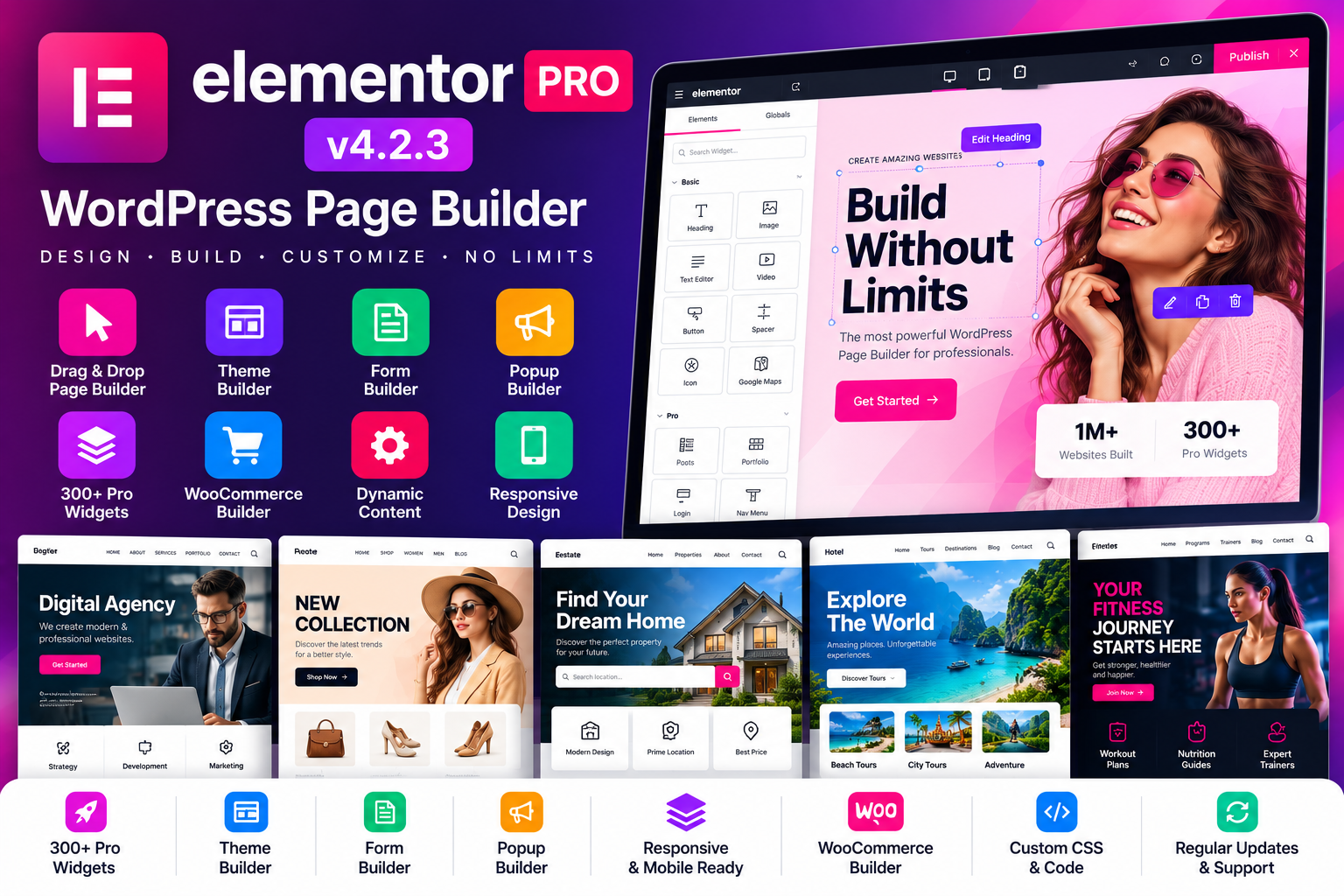
Elementor Pro v4.2.3 is a powerful WordPress Page Builder designed for creating and customizing professional WordPress websites through a visual editing workflow. It extends the Elementor website-building environment with advanced tools for site structure, dynamic content, forms, popups, custom code and CSS, and eCommerce-focused design capabilities.
Unlike a traditional WordPress workflow where many design changes require editing theme files or custom code, Elementor provides a visual environment for building pages and site components. Elementor describes its platform as a visual website builder with drag-and-drop editing, while Elementor Pro adds advanced capabilities for professional web creators.
With Elementor Pro v4.2.3, users can create websites for businesses, agencies, freelancers, bloggers, portfolios, landing pages, online stores, and other WordPress projects while maintaining control over the visual appearance and structure of the site.
Elementor Pro v4.2.3 provides a visual editing environment for designing WordPress pages. Users can work with page sections, widgets, content blocks, images, buttons, columns, containers, and other elements within the editor.
This visual workflow makes it easier to see design changes while building rather than repeatedly switching between code and the front end.
One of Elementor Pro's major capabilities is the Theme Builder, which extends Elementor beyond individual pages. It can be used to design site parts such as headers, footers, archive templates, search results, author pages, and 404 pages.
This allows users to create a more unified website design instead of relying entirely on the default templates provided by a WordPress theme.
Elementor Pro v4.2.3 can be used with dynamic content workflows that connect design elements with WordPress data.
Elementor's documentation explains that dynamic tags can pull information such as post titles, excerpts, author information, site name, site logo, and other available data into supported controls.
Dynamic content is particularly useful for websites with repeated content structures, custom post types, listings, directories, blogs, and WooCommerce products.
Elementor Pro provides advanced widget categories in addition to the core Elementor widgets. Elementor's developer documentation identifies dedicated Pro, Theme, and WooCommerce widget categories.
These additional widgets can expand the types of content and functionality available while designing a website.
Forms are important for contact pages, inquiries, registrations, lead generation, subscriptions, and other website interactions.
Elementor Pro includes Form Builder functionality, allowing professional users to create forms and connect them with supported marketing workflows. Elementor currently lists Form Builder as a Pro capability.
Create popup-based website experiences for promotions, announcements, forms, calls to action, subscriptions, and other content.
Elementor's current Pro feature set includes Popup Builder, while its theme-condition system can be used to determine where supported templates and popups should appear.
For advanced customization, Elementor Pro provides tools for adding custom CSS and code. This is useful when the built-in styling controls are not sufficient for a particular design requirement.
Elementor Pro includes dedicated WooCommerce widgets and eCommerce-oriented capabilities. Elementor's developer documentation identifies WooCommerce as a dedicated Pro widget category.
This makes Elementor Pro suitable for customizing product-related layouts and other WooCommerce website sections.
A website should provide a usable experience across different screen sizes. Elementor's visual workflow supports responsive website design, allowing creators to adjust layouts and styling for different devices.
For websites that use repeated design patterns, reusable templates and components can help maintain consistency across pages.
This can be useful for agencies, businesses, blogs, online stores, and larger websites where the same visual structures appear repeatedly.
Elementor Pro v4.2.3 can be used to create professional business websites with customized page layouts and site-wide templates.
A typical business website can include:
Home
About Us
Services
Team
Portfolio
Pricing
Testimonials
Blog
FAQ
Contact
The visual editing workflow allows businesses to match the website design with their branding and content requirements.
Landing pages are frequently used for marketing campaigns, products, services, registrations, events, and lead-generation activities.
With Elementor Pro, users can create focused layouts using headings, images, buttons, forms, videos, content sections, and other design elements without needing to construct the entire page manually in code.
Agencies and freelancers often need to create websites for clients with different requirements. A visual website builder with reusable templates can provide a flexible workflow for those projects.
Elementor Pro can be adapted for:
Corporate websites
Marketing agencies
Creative studios
Consultants
Startups
Local businesses
Service providers
Personal brands
eCommerce businesses
Bloggers can use Elementor Pro to create customized page structures for articles, archives, category pages, author pages, and other content-focused areas.
Dynamic content capabilities can also be useful for automatically displaying WordPress content in designed layouts.
Online store owners can use Elementor Pro v4.2.3 with WooCommerce to customize eCommerce-focused pages and content.
Elementor Pro's WooCommerce widget category is specifically designed for eCommerce elements, allowing users to incorporate WooCommerce content into Elementor layouts.
A WooCommerce website can include:
Shop
Product Categories
Product Pages
Cart
Checkout
My Account
Product Archives
Promotional Landing Pages
A website's header and footer are important parts of its navigation and branding.
With the Theme Builder, Elementor Pro can be used to create custom headers and footers and apply them through template conditions.
This gives website owners more control over the overall site structure.
Instead of individually designing every page, website owners can create templates that automatically apply to specific content types or website locations.
Elementor's condition-based Theme Builder system allows templates to be displayed according to predefined conditions.
This can be useful for blogs, news websites, WooCommerce stores, directories, and other content-heavy WordPress projects.
Developers can extend Elementor through its developer framework, custom widgets, dynamic tags, theme locations, hooks, and other supported integrations.
Elementor's developer documentation provides APIs and extension points that allow third-party developers to integrate functionality into the Elementor environment.
This makes Elementor useful not only as a page builder but also as a framework for more customized WordPress development.
Mobile and tablet visitors are an important part of modern web traffic. Elementor's visual editing environment provides controls for responsive layouts and styling so creators can adapt page designs to different devices.
This can be especially useful for:
Mobile landing pages
Business websites
Online stores
Portfolio websites
Blogs
Marketing pages
Elementor Pro v4.2.3 provides a broad set of visual controls for customizing website appearance.
Depending on the element or template being edited, users can work with:
Typography
Colors
Backgrounds
Borders
Spacing
Alignment
Sizing
Buttons
Images
Layouts
Responsive settings
This allows creators to build a visual identity suited to their website or brand.
Designers, photographers, architects, artists, developers, and other professionals can use Elementor Pro to create portfolio websites.
Projects can be displayed using custom layouts with images, text, categories, calls to action, galleries, and other content components.
Consultants, agencies, coaches, service companies, and local businesses can use Elementor Pro to create structured service websites.
Custom pages can be designed around service descriptions, contact forms, pricing information, team sections, testimonials, FAQs, and conversion-focused calls to action.
One of the major advantages of Elementor Pro is the ability to connect visual designs with WordPress data.
Dynamic tags can use information from WordPress content and display it within supported Elementor controls. This makes the system useful for sites where content needs to update without manually editing every visual section.
A page builder does not guarantee search-engine rankings by itself. However, Elementor can be incorporated into an SEO-focused WordPress setup.
For better SEO, combine your website builder with:
Original and useful content
Descriptive page titles
Clean URLs
Proper heading hierarchy
Optimized images
Internal linking
Mobile-friendly layouts
Performance optimization
Suitable SEO plugins
Relevant structured data
Create customized business websites without designing every component from scratch.
Build flexible article and archive layouts.
Develop customized websites for clients across different industries.
Use reusable templates and visual workflows for multiple client projects.
Create visually detailed websites without relying entirely on custom coding.
Extend WordPress websites using Elementor's available developer framework.
Create customized eCommerce layouts using Elementor and WooCommerce.
Using Elementor Pro v4.2.3 provides a visual website-building workflow with advanced tools for creating and managing WordPress websites.
Visual drag-and-drop website building
Advanced Pro widgets
Theme Builder
Custom headers and footers
Dynamic content
Dynamic tags
Form Builder
Popup Builder
WooCommerce widgets
Custom CSS and code
Responsive design controls
Reusable templates and design components
Flexible page layouts
Suitable for businesses and agencies
Developer extensibility
Elementor Pro v4.2.3 – WordPress Page Builder is a versatile website-building solution for users who want greater visual control over their WordPress websites.
Its combination of visual editing, Theme Builder, dynamic content, advanced widgets, forms, popups, custom CSS, responsive design controls, and WooCommerce capabilities makes it suitable for business websites, portfolios, blogs, agencies, landing pages, and online stores.
Whether you are a beginner building your first professional website, a freelancer creating client projects, an agency managing multiple websites, or a developer building customized WordPress solutions, Elementor Pro v4.2.3 provides a flexible environment for designing and managing website experiences.
No approved reviews yet.
Login to write a review.