 Hover to zoom
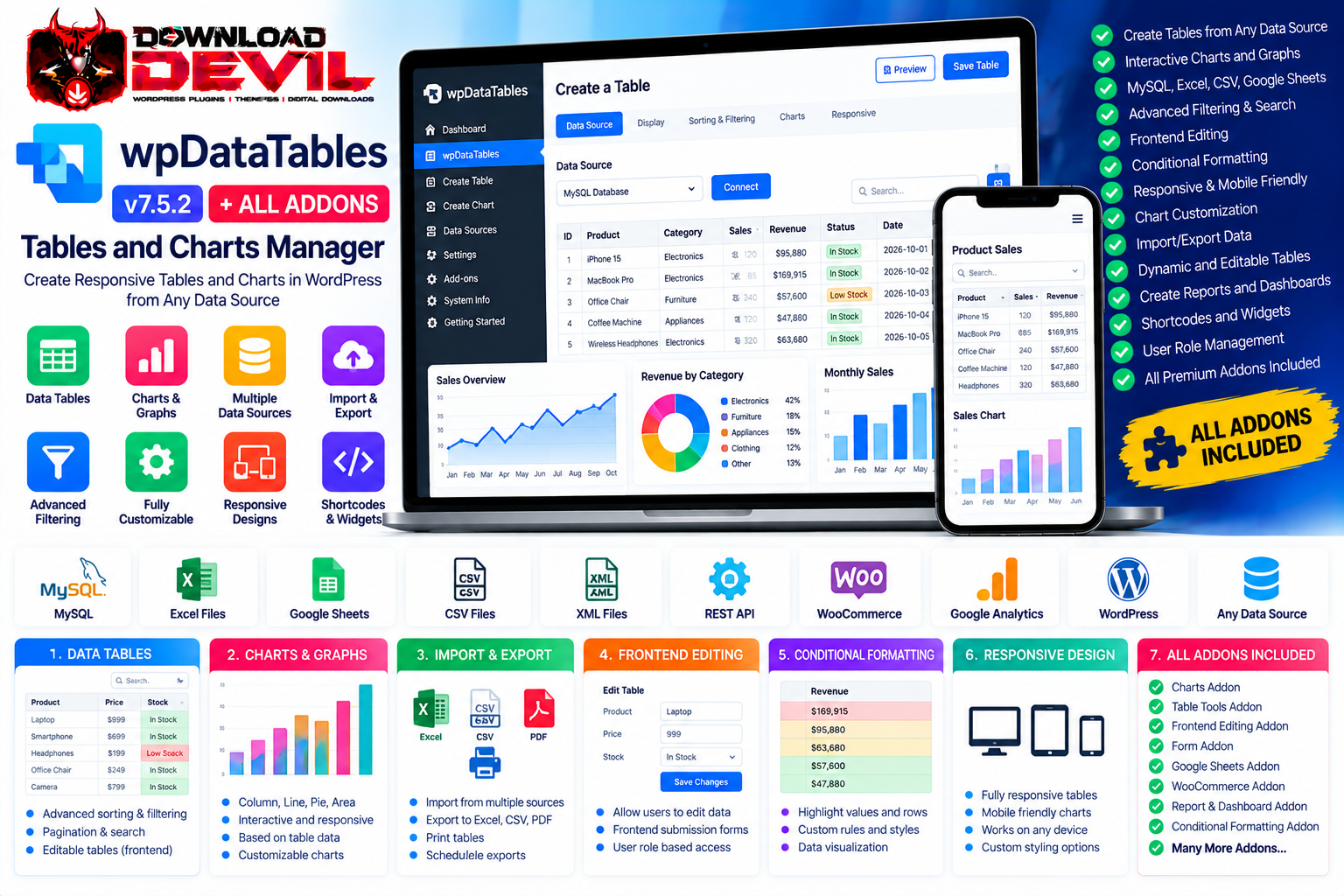
wpDataTables v7.5.2 – Tables and Charts Manager + All Addons is a powerful WordPress plugin designed to transform complex data into interactive, responsive tables, charts, and reports. It allows website owners to import information from spreadsheets, databases, online data sources, and other supported formats, then present it in a structured and professional way without manually coding every table.
With wpDataTables, you can create searchable tables, sortable columns, interactive charts, conditional formatting, and editable data grids. Its advanced capabilities support data sources such as Excel, CSV, Google Sheets, JSON, XML, and MySQL, making it useful for business reporting, product catalogues, financial information, statistics, directories, and data-driven websites.
The All Addons Bundle extends the core plugin with additional tools for data management, frontend editing, integrations, filtering, and advanced reporting, depending on the extensions included.
Create responsive WordPress tables and charts
Import data from Excel and CSV files
Connect tables to Google Sheets
Generate tables from JSON and XML data
Create tables from MySQL queries and database sources
Support for PHP arrays and compatible data feeds
Connect to supported external APIs
Interactive sorting and multi-criteria filtering
Pagination and searchable table interfaces
Conditional formatting for cells and rows
Customizable column types and formatting
Calculated columns, totals, averages, minimums, and maximums
Dynamic chart creation from table data
Multiple chart types and visualization options
Responsive layouts for mobile and desktop
Frontend and backend table editing
Inline and spreadsheet-style editing
Data export to supported formats
Custom table styling, colors, fonts, and borders
Fixed headers and columns
Server-side processing for large datasets
Custom SQL queries and query-builder tools
Table caching and automatic cache updates
Shortcodes and supported page-builder integrations
WooCommerce and WordPress post data integrations
Additional functionality through compatible addons
Data Source Integrations: Build tables from supported MySQL databases, Excel files, CSV files, Google Sheets, JSON, XML, PHP arrays, and compatible API sources.
Advanced Filtering & Search: Give visitors tools to search, sort, filter, and navigate large datasets using available filtering controls.
Interactive Charts: Create charts and graphs from table data using supported chart engines, with options for styling, grouping, and reflecting table filters in chart displays.
Frontend Editing: Allow authorized users to edit supported table data from the website frontend, using inline editing, popup forms, or spreadsheet-style interfaces.
Import & Export: Import table data from supported spreadsheet sources and export information to compatible formats such as Excel, CSV, and PDF.
Conditional Formatting: Highlight values, rows, or cells based on configurable rules to make important information easier to identify.
WooCommerce Integration: Display product information in structured tables and support compatible product-related workflows.
WordPress Post Builder: Build tables using supported WordPress posts, pages, and custom post types.
Advanced Database Connections: Connect to supported database sources and create tables using queries, including dynamic SQL queries with placeholders where available.
Master-Detail Tables: Present additional information associated with a table row through supported master-detail functionality.
Forms & Automation: Connect compatible form submissions and data workflows to tables using available addons.
Table Management Tools: Organize tables and charts, configure columns, customize display options, and manage data efficiently from WordPress.
The exact addons and integrations available depend on the supplied bundle files, installed versions, and any required external services.
wpDataTables is ideal for:
Business Reporting Websites
Financial Reports and Statistics
WooCommerce Product Catalogues
Price Comparison Websites
Real Estate Listings
Educational Data and Student Records
Research and Scientific Data
Sales and Performance Dashboards
Inventory and Stock Tables
Membership Websites
Company Directories
Government and Public Data Portals
Online Publications and News Websites
Data-Driven Business Websites
Agencies and WordPress Developers
Its table and chart tools help businesses present complex information clearly, reduce manual data formatting, and create interactive reports that visitors can search, filter, and explore.
Product Name: wpDataTables – Tables and Charts Manager + All Addons Version: 7.5.2 Product Type: WordPress Plugin & Addons Bundle Platform: WordPress Category: Data Tables / Charts / Data Management Core Functionality: Interactive tables, charts, and data visualization Data Sources: Excel, CSV, Google Sheets, JSON, XML, MySQL, and supported APIs Editing: Backend and supported frontend editing Charting: Multiple chart engines and visualization types Advanced Features: Filtering, conditional formatting, calculations, and data exports Integrations: WooCommerce, WordPress content, compatible forms, and supported page builders Best For: Businesses, publishers, developers, analysts, and data-driven websites
wpDataTables combines data import, table creation, visualization, and interactive editing in a single WordPress workflow. Instead of manually building HTML tables or repeatedly formatting large spreadsheets, you can connect supported data sources and configure how the information appears on your website.
Its advanced filtering, calculations, charts, and editing tools make it especially useful for websites that regularly publish large datasets or need to turn raw information into interactive reports.
The All Addons Bundle provides additional flexibility for specialized workflows, including form integrations, advanced table management, and extended data presentation capabilities.
wpDataTables v7.5.2 – Tables and Charts Manager + All Addons is a versatile solution for building interactive tables, charts, and data dashboards on WordPress websites. With flexible data sources, powerful filtering, spreadsheet-style editing, customizable visualizations, and extended integration options, it provides a practical foundation for managing and presenting complex information online.
No approved reviews yet.
Login to write a review.